

E-Business
6 Ways to Stay Safe on Public Wi-Fi


With data connection rates still comparatively pricey in Nigeria, Wi-Fi hotspots are often a source of joy for most smartphone/device users in need of some free Web browsing or social media time.
The benefits of free Wi-Fi access such as the ease of connectivity and opportunity to conserve cellular data makes it a common occurrence for most users to seek out these free connections in public locations such as parks, banks, hotels, restaurants, etc.
Findings by the Research and Development Unit of Yudala – Nigeria’s fastest growing composite e-commerce outfit – show that caution must, however, be exercised when accessing sensitive personal information and/or carrying out online shopping or mobile banking activities over a free public Wi-Fi connection as this could pre-dispose you to grave losses from hackers.
Armed with routers, remote spying software and other tools of their nefarious trade, these hackers – whose increasing level of sophistication is a source of global alarm – are capable of setting up fake hotspots which booby-trap you into thinking you are connecting to the Wi-Fi of a hotel you are staying in, for instance, while in actuality, you have fallen prey.
These tips from Yudala’s Research and Development Unit will help keep you protected:
Always remember you’re vulnerable on public Wi-Fi
This knowledge is essential as it will help keep you wary when using public Wi-Fi networks. Due to their often unsecured connections, chances are that the Wi-Fi hotspot you have so gleefully connected to is also occupied by a potential hacker.
Within this shared virtual space, it becomes considerably more easy to infiltrate your device and compromise your personal information.
Disable automatic connection to Wi-Fi networks
Most smartphones are capable of automatically connecting to available Wi-Fi networks – a development that may expose you to lurking hackers. While this feature is often disabled by default, you can do yourself a world of good by double-checking to make sure.
Better still, you can tweak your device’s settings to ensure manual connection to Wi-Fi hotspots. This way, you are protected from unwittingly connecting to a rogue network which may compromise your privacy and other sensitive information.
Verify the network’s name before connecting
Research shows that most hackers label their fake hotspots with generic names that may fool you into thinking you are on the right network.
A public institution such as the Nigerian Communications Commission (NCC), for instance, may not have its public Wi-Fi network named “Free NCC Wi-Fi.” Same goes for that hotel you may be staying in or the fast food outlet on the street corner. Obvious generic names such as these could be a well-sprung trap by a hacker to snare unsuspecting users.
If you are not certain of that generic name being the official Wi-Fi network you are about to access, you will do yourself a world of good by asking. An employee of the organization concerned should be able to guide you in this regard and help you get connected to the right network. In the event that there is no one to verify from, it is better to err on the side of caution in order to avoid being hacked.
Stick to HTTPS for websites
To avoid exposing yourself to the risks of being hacked over a public Wi-Fi network, stick to websites that use HTTPS during your internet surfing activity.
While regular websites transfer content in plain text thereby making it an easy target for potential hackers; websites that use HTTPS, on the other hand, encrypt your activity thus offering an extra layer of security. In order to be sure you are on an HTTPS website, simply look for a padlock in the address bar or check the URL for “https://…”
In addition, you can download and use a software such as HTTPS Everywhere to protect your data. HTTPS Everywhere is a Firefox, Chrome, and Opera extension that encrypts your communications with many major websites, making your browsing more secure.
Turn off file sharing when using a PC
While you may not have a direct control over the Wi-Fi network you are connected to, your computer is thankfully still in your control.
Your computer may share certain information such as your printers, files, music library or even go as far as granting remote login to other computers on a trusted network or your personal Wi-Fi network. If not disabled when connecting to a public Wi-Fi network, you may just be opening the door to a potential hacker.
File sharing must be turned off or at best automated to ensure that your computer automatically switches to a more secure setup when you are on a public Wi-Fi network.
Keep all financial transactions off public Wi-Fi
This applies to mobile banking, online shopping or any other activity that involves exposing sensitive personal or financial information. Every public Wi-Fi network should be regarded as a major security risk as you may be sharing these connections with an eagle-eyed hacker.
Where the transactions cannot wait until you get to a secure network, it is best you rely on your cellular data for these purposes.



National Office for Technology Acquisition and Transfer (NOTAP), has commenced the process of patenting and commercialisation of research works by universities and other research institutions in the country.

Dr. Obiageli Amadiobi, director general of NOTAP
Dr. Obiageli Amadiobi, director general of NOTAP, stated this in Abuja, during an interaction with journalists on her achievements since assuming office.
Speaking on the theme, “Strengthening Indigenous Capacity: NOTAP’s Drive for Technology Transfer, Local Content Development, and Innovative activities,” Amadiobi said the agency had involved both the academia and industry so that researchers can work on topics brought forward for commercialisation purpose.
“My minister is very intentional about this– very intentional about commercialisation of research results, which we have already submitted to him. They are meaningful researches, which we need to commercialise.
“We have established 69 intellectual property technology transfer offices in 69 universities that we are still counting. We have informed the vice chancellors of Nigerian universities to set up such offices and we will come and educate them on intellectual property and technology transfers.
“As we are doing this, we are also taking record of all the researchers of these universities and research centres and documenting them in a compendium.
“So, we have compendiums from the universities to us and we put them in a database. If you will recall, recently, the ministry, our supervising ministry, which is the Federal Ministry of Innovation, Science, and Technology, launched a programme titled Energise Commercialisation. This entirely was for commercialisation of all R&Ds,” she said.
On research Institutions carrying out research on areas of industry needs, she said, “NOTAP is bridging the gap between research and development with industry needs, “it is on our programme called the NITDF, NOTAP Industry Technology Transfer Fellowship. By this programme, we engage the universities and the industries, in what we call the triple helix. We liaise with the universities and the industries to sponsor, the industries will sponsor a Ph.D candidate in a Nigerian university to conduct relevant researches.
“They will provide the topics that they want researches for and such students will research on that with the assistance of the industries, because they wear the shoes, so they know where it pinches them. But usually, there are Ph.D candidates already established. This year alone, we certified about 15 of them to enter into this programme and they have gone into the various universities.
“And we are still looking for people to update some of the projects; the research topics we already have. But we are not getting enough persons to do the researches. So, we are going to do further advertisement to see if other candidates will come up.
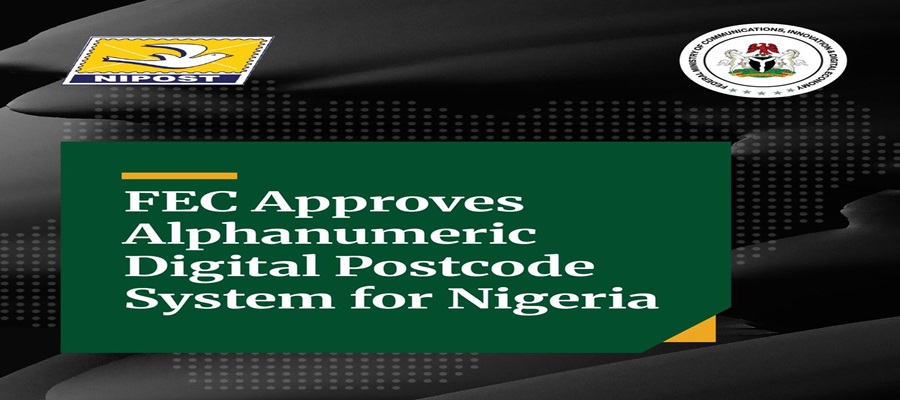
Federal government has launched a drive to standardise operations across all Ministries, Departments, and Agencies (MDAs) through the nationwide adoption of the new National Digital Alphanumeric Postcode System.

Dr Bosun Tijani, minister of Communications, Innovation and Digital Economy, launched the initiative at a high-level stakeholder workshop on Thursday in Abuja.
The conference, themed “Embedding the Nigerian Digital Postcode in Public Service Delivery,” brought together key stakeholders to discuss the adoption of the system across government institutions.
Represented by Nadungu Gagare, permanent secretary of the Ministry, declared that the initiative was a critical pillar for the country’s economic and security framework.
“The Nigerian Digital Postcode represents far more than an improvement to postal services. It is a strategic national asset. Without accurate location intelligence, governments struggle to plan effectively, emergency responders lose valuable time, and financial institutions face verification challenges,” he said.
Tijani said the Alphanumeric digital postcode system was a pathway and a defining moment for Nigeria’s digital transformation under the Renewed Hope Agenda of President Bola Tinubu.
He said an accurate national addressing system would enable government agencies to plan better, improve emergency response, support credible census and elections, expand financial inclusion and ensure citizens were not excluded from essential services because of poor location data.
The Minister commended NIPOST for leading the initiative and urged MDAs and state governments to integrate the system into their operations, stressing that its success would depend on collaboration, interoperability, and nationwide adoption.
Omotola Odeyemi, postmaster general and chief executive officer, Nigerian Postal Service (NIPOST), explained that the digital postcode system creates a “common language of location” for the entire government.
She urged federal and subnational entities to integrate the infrastructure into their daily operations to maximise its value.
“Just as digital identity has helped to establish who a citizen is, this National Digital Postcode helps us to determine where services, opportunities, and interventions should be delivered. Its success will not be measured by the number of postcodes that we generate but by the lives that we improve,” the NIPOST boss explained.
Mrs Didi Esther Walson-Jack, head of the Civil Service of the Federation, represented by Dr Abdul Sule Garba, permanent Secretary of the Service Welfare Office, pledged full administrative backing for the rollout.
She noted that the civil service would be properly equipped to adapt to the data-driven system.
“The operationalisation of the Nigerian digital postcode is a strategic initiative that has the potential to significantly improve public administration, service delivery, and digital governance across the country,” Mrs Walson-Jack added.
The workshop featured live demonstrations and technical panel sessions focused on linking the new digital postcode system directly into national healthcare, social protection, education, and electoral planning.
E-Business
Kaspersky Warns of a Large-scale Campaign using Fake Free Software to Deploy a RAT via ScreenConnect


A remote admin tool ScreenConnect is being distributed through fake websites designed to mimic the official pages of well-known software products.

In total, researchers identified more than 90 domains spanning 10 languages, including English, Arabic, Spanish, Chinese, German, Portuguese, and Russian, enabling the attackers to reach a wide range of victims worldwide. The campaign targets both individual users and organisations using Windows.
After detecting an incident through its Managed Detection and Response, Kaspersky uncovered a large-scale campaign in which attackers used fake websites to spread installer archives disguised as popular software, including OBS Studio, DNS Jumper, DS4Windows, Glary Utilities and Bandicam.
To drive traffic to these pages, the threat actor also used search engine optimisation techniques to place them high in search results.
Across more than 90 identified fraudulent software sites, the same tactic was observed: victims who downloaded what appeared to be legitimate software instead received a hidden ScreenConnect remote administration tool, which gave the attackers persistent access to compromised devices and allowed them to deploy AsyncRAT, an open-source trojan capable of giving them full control over infected systems.
Domain registrations linked to this campaign peaked in February 2026; in 2025, the same attacker had used fake websites to disguise malicious installers as games.
Infection occurs through malicious archives containing a legitimate, signed Microsoft file, install.exe, alongside the install.res.1033.dll library. The DLL is loaded onto the device via a DLL sideloading technique and deploys a ScreenConnect service that awaits further instructions from the attackers.
“The campaign targets both users downloading free utilities from the Internet and corporate networks, where remote access tools are often allowlisted and granted elevated privileges.
“Its danger lies in its potential to facilitate large-scale credential theft and unauthorised access to systems, with the stolen data typically later resold on dark web forums,” says Denis Kulik, lead SOC Analyst at Kaspersky.

World Bank Okays New $1.25Bn Loan for Nigeria

Xenophobia: MTN Nigeria Belongs to Nigerians, Not Only South Africans — Toriola

SEC Grants Approval to Luno, Other Crypto Firms under Regulatory Sandbox

MTN Nigeria Celebrates Volunteers at Y’ello Care Impact Showcase

Listicle: 10 Essential Meta Safety Tools Every Parent and Teen Should Know

Mobile Internet Gender Gap Widest in Africa – GSMA

FG Targets Alleged N3tn Capital Flight, Opens Airtime Credit Market to Nigerian Fintechs

Nigeria Launches FreeTV Nationwide

UK, Nigeria Launch £15m Growth Programme to Accelerate Economic Transformation

NASENI Moves to Digitize CCB’s 5m Assets Declaration and Operations




 E-Financial3 days ago
IMF Raises Concerns over N8.83 Trillion Unreported Spending in Nigeria’s Budgets

 News3 days ago
Court Declares Keystone Bank Staff Wanted over Alleged N35m Fraud

 Telecom3 days ago
OpenAI in Talks to Offer U.S. Government 5% Stake Amid AI Scrutiny

 E-Business3 days ago
Kaspersky Warns of a Large-scale Campaign using Fake Free Software to Deploy a RAT via ScreenConnect

 Broadcasting2 days ago
Why We’re Partnering With NIHOTOUR To Bring Nigerians In South Africa Home – Steve Babaeko

 E-Business3 days ago
NOTAP to Commercialise University Research, Expands Patent Drive

 E-Business3 days ago
FG Unveils Digital Postcode System for MDAs

 News3 days ago
UK Deepens Digital Partnership with Nigeria to Drive Inclusive Growth