

Telecom
A Guide to Boosting Your Broadband Speed


A lot turns on the strength of your broadband speed.
If you’re a business, the strength of your broadband determines how quickly you’re able to download and transfer files, how long it takes to process data, and the quality of your communication with your clients.

Faster connections will allow your team to carry out tasks efficiently, and guarantee smoother customer engagement on your contact channels. Slower connections could affect the pace of work and dampen the quality of your interaction with customers.
Unless you remedy the issues arising from slow broadband, your clients could seek better service elsewhere. This could in turn reduce your sales and shrink your revenues.
If you are struggling with less than optimal broadband speeds, you should find this article useful. Here we’ll note some of the possible causes of your slow internet speed, and present practical steps you can take to fix this problem.
First, let’s answer a few questions about broadband internet, so we get a sense of where we’re headed.
What is Broadband Speed?
Broadband speed refers to how quickly you can upload or download data with your internet connection. It’s measured in megabits per second (Mbps) and kilobits per second (Kbps). These days, we also hear talk of speeds reaching several gigabits per second (Gbps).
A kilobit is a thousand bits; a megabit is a million bits. One gigabit refers to a billion bits.
A bit is the smallest unit of data on your computer.
If your broadband speed is 20 Mbps, this means you’re able to transfer up to 20,000,000 bits of data per second over your internet connection. This is faster than a broadband speed of, say, 20 Kbps, or 20,000 bits per second.
How Fast Should Your Internet Be?
The answer to this question depends on what you’re using your internet for. If you routinely transfer heavy files between computers, you will need much faster broadband than someone who only uses their internet for simple text emails.
Some video streaming services require speeds of at least 5 Mbps. If you’re working with a speed of 50 Mbps, you could download a 2 GB file in about five minutes.
Things that May Be Slowing Down Your Broadband
Many people tend to blame their Internet Service providers (ISPs) for their slow broadband. But it’s not always the ISP’s fault; a lot of other factors could contribute to slower internet connection. Some of them are explained below.
- Quality of Your Hardware: If your cables and router are old, they may cause your broadband to slow down. It’s advisable that you check your connection hardware and replace it with new equipment if they have aged.
- Distance from Network Centralizer: The farther you are from your service provider’s broadband centralizer or access points, the slower your internet is likely to get.
- Obstructions: Network signals could weaken if there are walls or other things standing in its path.
- Spyware and Viruses: Spyware may affect your broadband speeds by interfering with your browser. Computer viruses may also multiply to weigh down computing power, and impede normal functioning.
- Router Location: Routers need to be placed in a central, elevated location, or at least at a point that lets signals travel unimpeded to your computers. When it’s not positioned this way, broadband speeds will be lower.
- Several Devices and Users: Access speeds may drop if there are several users and multiple devices using a single network.
- Heavy or Outdated Applications: Applications that have not been updated can affect internet speeds. They may also slow things down if they use a lot of bandwidth.
- Peak Time: Think about internet traffic as a stream of vehicles on a road. There’s usually more traffic during peak periods, so movement—or internet speeds –could be slower at those times. Peak period for internet connections is usually somewhere between morning and evening. Off peak periods may last between 2 AM and 7 AM, when there are fewer people using the internet.
How to Check Your Broadband Speed
You can find out what how fast or slowly your broadband is working by conducting a broadband speed test. It’s simple and takes just a few steps:
- Link your computer to your router with an Ethernet cable
- Go to your browser
- Search for a speed testing platform (examples include speedtest.net, fast.com, and speedcheck.org).
- Follow the instructions on the site you choose.
Note that the broadband speed displayed may be slightly lower or higher than what your ISP says it provides. This isn’t necessarily a problem. You only have cause to be concerned if the speed test consistently shows results that are much lower than what your ISP claims to be supplying you.
How to Speed Up Your Broadband
You could take these steps to make your broadband faster:
- Protect Your Connection
It might be that your internet connection has no password protection, and other users are linking up to it without your knowledge. As we noted earlier, having multiple users on your connection at once may affect your internet speed. By restricting access with a password, you could reduce the possibility of this happening.
- Change Your Router’s Location
Place your router in a more central location so that it achieves broad coverage. Or just make sure that the paths between it and your computers are not impeded by walls or other obstructions. Ideally, you should put it in an elevated place, like a shelf or high up a wall.
- Close or Remove Bandwidth-Consuming Applications
Some applications could start and run without your knowledge, consuming bandwidth and stifling access speeds. Make sure to shut down these applications, or remove them if they aren’t important to you. You should also delete old files and wipe your browsing history clean to free up space and allow quicker computing.
- Scan Your System with an Antivirus
Combat bandwidth-shrinking malware with up-to-date antivirus. You can set your antivirus to scan your systems for spyware or viruses on a regular basis.
- Change Your Service Provider
If other measures don’t help, the problem may well be from your service provider. In this case you will have to try some other ISP and see if they can offer you a faster connection.
Get Fast, Reliable Broadband for Your Business
If you’re looking to solve your issues with broadband speed, you can speak to the experts at Layer3. They will assess your needs and recommend changes besides the few mentioned here.
Layer3 also provides secure, stable and fast broadband service. Its broadband package guarantees low latency to the internet, routable IP addresses, and multiple connections to the internet backbone via submarine cables. It’s exactly what your business needs to maintain a high standard for its operations.
Find out how these features can benefit your organization. Get in touch with the Layer3 team and request a demo today.



Association of Licensed Telecommunications Operators of Nigeria (ALTON) has declared support for the Nigerian Communications Commission (NCC’s) push to promote local smartphone manufacturing in the country.

Gbenga Adebayo, chairman, ALTON,
The News Agency of Nigeria reported that ALTON described the move as a practical measure capable of accelerating broadband adoption and expanding digital inclusion across the country.
Gbenga Adebayo, chairman, ALTON, made the remarks to newsmen on Saturday while reacting to comments by Idris Olorunnimbe, chairman, NCC Board, who had earlier called for local smartphone production and innovative financing models to address Nigeria’s digital inclusion gap.
Adebayo said Nigeria must intentionally transition from being predominantly a technology consumer to becoming an innovator, designer and manufacturer of digital technologies, pointing to the country’s large telecommunications market and youthful population as the scale and human capital needed to support world-class manufacturing.
He said Nigeria’s ambition in local manufacturing should extend well beyond simply assembling imported components into finished devices.
“Our ambition should extend beyond assembling devices. We must pursue genuine knowledge transfer, research and development, product engineering, software development, semiconductor capabilities and large-scale manufacturing,” he said, adding that the goal should be producing devices and digital technologies for Nigeria, Africa and the global market.
Adebayo explained that the emergence of artificial intelligence has further strengthened Nigeria’s opportunity to become a competitive technology manufacturing hub, noting that AI is transforming product design, manufacturing, quality assurance, supply chain management, customer experience and software innovation.
He said investing in AI-enabled manufacturing would improve productivity, create high-value jobs and strengthen Nigeria’s competitiveness across Africa.
On tackling counterfeit and non-type-approved devices, Adebayo described the grey market as a major challenge affecting consumers, original equipment manufacturers and the wider telecommunications ecosystem.
He said robust local manufacturing backed by strong quality standards would provide credible alternatives to grey-market imports.
“This will strengthen consumer protection, improve network performance, retain greater value within our economy, and stimulate industrial growth,” he said, while also endorsing innovative smartphone financing, stronger device management systems and identity-enabled credit frameworks to help more Nigerians afford quality smartphones.
Adebayo said telecom operators remain ready to partner with government, manufacturers, financiers, academia, investors and development partners to build sustainable local manufacturing capacity in Nigeria.
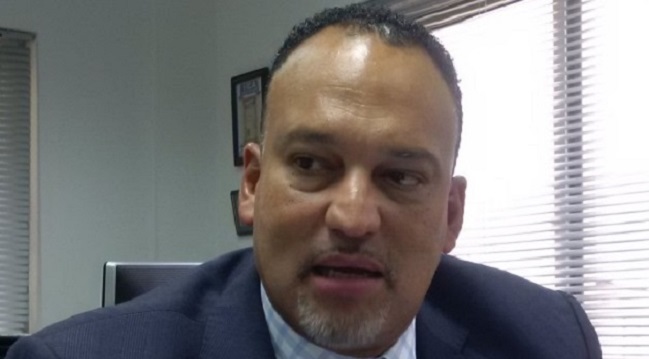
Ayotunde Coker, managing director, Open Access Data Centres has reiterated availability of abundant capacity and world-class infrastructure in key data centres in Nigeria.

This is coming against the backdrop of the Central Bank of Nigeria (CBN) directive to banks, fintechs, mobile money operators, and other payment service providers to host their payment transaction data generated within Nigeria on local servers from January 1st, 2027.
Mr. Coker made the assertion at a media interactive session on readiness of major data centres in the country such as Open Access Data centres to effectively host financial sector data.
“As far as readiness is concerned, we have the co-location base, the co-infrastructure basis, and interconnection capability. Indigenous cloud companies are building out, such companies like Unicloud Africa, Layer 3 within the data centres, adding cloud capability, and providing cloud solutions to local companies.
“The other key thing with the directive is that it sends a signal to the world that data sovereignty localization is key. And will also trigger the global providers to bring their own scale of cloud in here in time, which is good for building our digital infrastructure scale”.
The CBN directive signed by the Director of the Payments System Supervision Department, Rakiya Yusuf, also introduced new market structure rules, beneficial ownership disclosure requirements and systemic oversight measures for payment service operators.
According to the apex bank, the reforms became necessary following the rapid expansion of electronic payments and digital financial services across the country.
The CBN said it had observed “significant structural developments within the Nigerian Payments ecosystem, characterized by rapid growth in electronic payments, increasing adoption of digital financial services, and the emergence of operators with substantial market presence across key payment activities.”
It noted that while the growth had improved innovation, efficiency and financial inclusion, it had also created concerns around market concentration, operational dependence, ownership transparency and the storage of critical payments data.
To address these concerns, the regulator ordered all financial institutions facilitating payments in Nigeria to ensure that transaction data generated within the country are stored domestically.
The circular stated, “All Financial Institutions and participants facilitating payments within Nigeria shall ensure that payments transaction data generated within Nigeria are stored and managed in Nigeria in accordance with data protection laws and regulations applicable in Nigeria.”
It added that “all affected Financial Institutions shall fully comply with this requirement effective January 1, 2027.”
The move is expected to strengthen regulatory oversight, enhance data sovereignty and ensure that sensitive payment information remains within Nigeria’s jurisdiction.
It also aligns with broader efforts by regulators globally to localise critical financial data and reduce reliance on offshore infrastructure.


Nigeria’s telecommunications sector recorded further growth in April 2026 as active mobile subscriptions increased to 188.01 million, while broadband penetration rose to 55.67 per cent, according to the Nigerian Communications Commission (NCC).

The latest industry statistics released by the commission showed that active telephony subscriptions rose to 188,009,171 in April from the previous month’s figure, raising the country’s teledensity to 86.73 per cent from 85.67 per cent recorded in March.
The report indicated sustained expansion in access to telecommunications services, driven by increasing demand for mobile voice and data services across the country.
According to the NCC, MTN Nigeria retained its position as the largest operator with 96,391,419 active subscribers, accounting for more than half of the country’s total mobile subscriptions.
Airtel Nigeria followed with 64,670,018 subscribers, while Globacom recorded 23,178,597 subscribers.
9mobile had 3,538,021 active subscribers during the period.
The commission’s data also showed continued migration by consumers to faster broadband technologies.
It said fourth-generation (4G) technology remained the dominant mobile network platform, accounting for 54.41 per cent of total network connections in April, up from 53.76 per cent in March.
Similarly, fifth-generation (5G) technology continued its steady growth, with market share increasing from 4.20 per cent in March to 4.34 per cent in April.
However, the share of second-generation (2G) subscriptions declined to 35.93 per cent from 36.74 per cent, reflecting a gradual shift away from legacy networks to higher-speed broadband services.
The report added that the third-generation (3G) segment remained relatively stable, accounting for 5.32 per cent of total connections compared with 5.30 per cent recorded in March.
It further showed that of the total subscriptions, 154,347,260 were on mobile GSM networks, while fixed wired internet subscriptions stood at 156,662.
Voice over Internet Protocol (VoIP) services accounted for 220,166 subscriptions.
The NCC also reported significant growth in broadband subscriptions, which increased to 120,684,625 in April from 117,710,397 in March.
Consequently, broadband penetration improved to 55.67 per cent from 54.30 per cent recorded in the previous month.
The commission attributed the increase to continued investment in broadband infrastructure and growing adoption of high-speed internet services by households and businesses.
Despite the growth in broadband subscriptions, total internet data consumption declined slightly during the month.
According to the report, internet usage fell marginally to 1,414,848.70 terabytes (TB) in April from 1,422,764.54TB recorded in March.
The report suggested that while more Nigerians were gaining internet access, overall data consumption remained relatively stable.
The NCC noted that the telecommunications sector continued to play a critical role in the nation’s economy, contributing 9.19 per cent to Nigeria’s Gross Domestic Product (GDP) in the first quarter of 2026.
It added that sustained investment in broadband infrastructure, wider deployment of 5G networks and improved quality of service would further accelerate digital inclusion, innovation and economic growth in the country.

FCCPC Dismisses Report Claiming Approval of 48 New Loan Apps

ALTON Backs NCC’s Local Smartphone Manufacturing Drive to Widen Digital Access

LASTMA Launches 3367 Toll-Free Hotline for Emergency Response, Traffic Management

PalmPay Calls for Trust, Infrastructure and Responsible AI to Drive Payment Ecosystem Innovation

OADC Reaffirms Abundant Capacity in Data Centres in Nigeria to Host Financial Data

London Strengthens Global Investment Ties with Africa @ First Ever London-Africa Business Summit

Mobile Internet Gender Gap Widest in Africa – GSMA

FG Targets Alleged N3tn Capital Flight, Opens Airtime Credit Market to Nigerian Fintechs

Japan, UNESCO Boost Digital Learning in 15 CoEs with Donation of ICT Equipment

Good News for DStv Users: Watch over 160 Channels Without Paying Extra




 General News3 days ago
Tinubu appoints Adigwe to head National Health Technology, Data Analytics Office

 E-Financial3 days ago
Paystack Unveils AI-powered Payments Tools

 E-Financial3 days ago
Fidelity Bank Wins DBN Award for Expanding First-Time Credit Access to MSMEs

 E-Financial3 days ago
NRS, CITN Deepen Partnership to Strengthen Tax Awareness

 General News3 days ago
PalmPay Strengthens Data Protection Culture with Employee Privacy Workshop and Privacy Champions Programme

 E-Financial3 days ago
FCMB Turns Normal Banking into Rewards with New Mobile App Upgrade

 Telecom3 days ago
Meta, FG Unveil New Safety Measures to Protect Nigerian Teens Online

 E-Financial3 days ago
Despite Warnings, FG Draws Down $1.5Bn as First Tranche of FAB $5Bn Loan Deal