

Telecom
FG’s Phone Bugging Programme Worry Nigerians

Some eminent Nigerians have warned against the proposed introduction of lawful interception (LI), the so-called initiative that will give security agencies powers to access private communications, such as telephone calls or e-mail messages; saying that such move would amount to infringement of peoples’ privacy.
Though supports for the scheme were far and in between; majority of the speakers at the Joint Action Committee on Information and Communications Technology Awareness and Development (JACITAD) forum to review the draft regulation on law interception waxed worriedly at the possible manipulation and misuse of LI by power hungry government officials.
Under the initiative, in response to a warrant from a judge, lawful interception is performed simply by applying a ‘tap’ on the telephone line of the target, making it possible for security agencies in Nigeria to listen to terrorist and criminal cell phone calls and gather communications intelligence on their dark activities.
The controversial policy is being proposed by the Nigeria Communications Commission (NCC) which said it is drawing powers from Section 70 of the Nigerian Communications Act, 2003 and all other powers enabling it in that regards.
But Nasir Ahmad El-Rufai, former director-general, Bureau of Public Enterprises (BPE), said the move “Regulate” Lawful Interception of Communications” falls outside NCC’s jurisdiction.
El-Rufai recalled that the Nigerian Communications Act (NCA 2003) was originally drafted by a consortium of local and international lawyers hired by the BPE under his leadership to give legal effect to the approved National Communications Policy midwifed by the National Council on Privatization in 2001.
The goal of the legislation, he said, was to fully deregulate the telecommunications sector and give broader and deeper regulatory powers to the NCC, while restricting the Minister to policy making roles only.
Thus, the former director of BPE slammed NCC for pushing to regulate an affair concerning human rights which falls under the purview of the National Assembly.
He said that “The results of the policy shift and new legal framework have been impressive and the fact that virtually every Nigerian, including teenagers, has a phone as evidence of the success of the de-monopolization regime that began in 2001.
“It is on reliance of, and pursuant to sections 70, 72, 146, 147 and 148 that the NCC has issued ‘The Draft Lawful Interception of Communications Regulations (2013)’. In order to undertake a policy analytic review of the draft regulations, it is necessary to ask the following questions, which broadly fall into two classes – first to establish the legitimacy and legality of the regulations, and second to critique their substantive content and language: These include, what are the constitutional provisions regarding privacy or otherwise of physical and electronic communications between citizens?
Under what conditions does the constitution and laws allow the violation of such privacy, if any?
When the Legislature passed the NCA, did it reasonably intend to give the NCC the powers to regulate the interception of private communications, thus enabling the infringement of fundamental rights without specific legislation via an Act of National Assembly?
Do the provisions of sections 70, 72, 146-148 of the NCA, without more, adequately grant the NCC the legitimacy to issue and enact the regulations under consideration?
Assuming the Constitution and the NCA enables the NCC to issue the regulations, are they fit for the purpose of protecting the privacy of the citizen while enabling access to law enforcement agents in the public interest?
Meanwhile, NCC had stated it is only exercising the powers conferred on it by Section 70 of the Nigerian Communications Act, 2003 and all other powers enabling it in that regard.
El-Rufai, a former minister of the Federal Capital Territory (FCT), then added that, “From the foregoing, it is not only unlawful for the government to invade the privacy of citizens by intercepting letters, phone conversations or emails, but a constitutional violation and therefore an impeachable offence!
“However, if the National Assembly enacts ‘any law that is reasonably justifiable that is in the interest of the country, then the interception may be lawful. The question that follows is whether NCA 2003 is one such law”.
Also speaking, Femi Adesina, president, Nigerian Guild of Editors, said “Without prejudice to what legal experts would say, I personally believe that the draft regulation on lawful interception has more strengths than weaknesses, and will do more good than evil.
“While any law, however benign, can be manipulated and used for negative ends, the LI can also help in stemming the tide of violent crimes like kidnapping, terrorism, and other anti-social acts. There are also enough provisions in the regulation to protect the citizenry, and give access to redress against unlawful acts.
He however, raised some concerned as regards the implementation of the Regulation.
He said: “Nigerians from different walks of life have raised concerns over the NCC draft regulation. They include: Blackberry services could be at risk in the country as the regulation will run counter to the technical operating standards of the phones’ distinct network. It maintains a strict policy of non-disclosure of pass codes or key, sent over an encrypted network. And there are over three million Blackberry users in Nigeria.
“When security agencies intercept vital communication, how safe are subscribers from unscrupulous ones among them, who may end up trading with information at their disposal? Will this not even encourage identity theft?
Conversations will no longer be spontaneous, as you will have the sneaky feeling that Big Brother is listening. Government may use the regulation to crack down on opposition figures”.
Other speakers at the forum also expressed worry over the moves by the NCC, especially as it would raise concerns of a nation on State of Emergency; incur hardship on the operators who shall be trapped in legal battles with subscribers, among other fears.


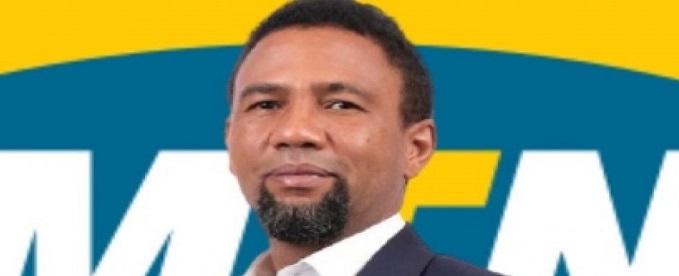
Karl Toriola, chief executive officer, MTN Nigeria, has stated that the telecom company is “a Nigerian company through and through,” emphasising that it belongs as much to Nigerians as to its global investors, with over 11 million Nigerians holding indirect stakes through pension funds.

Toriola also defended the federal government’s approval of telecom tariff adjustments, noting that the move helped prevent a financial crisis in the sector and enabled the company to ramp up capital expenditure to about N1 trillion in 2025 to improve network quality.
Speaking during an interview on Arise News, the MTN boss dismissed claims that the company is solely South African, despite its origins.
According to him, MTN Nigeria is incorporated locally, listed on the Nigerian Exchange, pays taxes in Nigeria, and is largely managed by Nigerians.
“We are labelled as a South African company because MTN Group was founded in South Africa. But the reality is that MTN Group has a very diverse global shareholding. Only about 50 percent of the shareholding is African, while the rest is held by investors from North America, Europe, the United Kingdom, the Middle East and Asia-Pacific,” he said.
Speaking further on MTN Nigeria’s identity, Toriola stressed the company’s deep roots in the Nigerian economy.
“MTN Nigeria is a Nigerian company through and through. We are domiciled in Nigeria. We are listed on the Nigerian Exchange. We pay all the taxes, duties and levies expected of us, and we are run by Nigerians.
“I am Nigerian. Apart from one executive, every member of our executive committee is Nigerian, while our entire expatriate workforce in Nigeria is just four people.
“We have over 201,000 retail investors, while about 11 million Nigerians own MTN shares indirectly through pension funds. We are very proud of our Nigerian identity,” he stated.
On the recent telecom tariff adjustment, Toriola said the increase was driven by necessity rather than profit motives, noting that operators were struggling to meet basic financial obligations before the review.
“People perceived the tariff increase as an aspiration for profitability, but the reality was that we were on our knees financially. We couldn’t even pay our month-to-month bills with the revenues we were generating. The tariff adjustment was an absolute necessity. It enabled us to stay alive,” he said.
He added that the improved revenue base has enabled MTN to scale up infrastructure investments to enhance service delivery.
“In the first quarter of this year alone, we spent N390 billion on capital expenditure, compared with a profit after tax of N359 billion. That shows our commitment to improving quality of service,” he said.
Addressing concerns over poor network quality, Toriola attributed the challenges to increasing demand, infrastructure gaps, vandalism, insecurity, and unreliable power supply.
“There are people who deliberately pour petrol into our manholes and set them on fire. A single incident can knock out services for millions of subscribers. We also face security challenges that prevent our engineers from quickly accessing some sites.
“In addition, we operate about 18,000 sites nationwide, each requiring generators, batteries, rectifiers and constant fuelling because of inadequate public electricity supply. All these affect quality of service,” he explained.
While acknowledging that service quality still needs improvement, he assured customers of continued investment.
“We are not perfect, but we are investing aggressively and continuously striving to do better,” he added.
On allegations that telecom operators deliberately deplete customers’ data, Toriola said findings often point to background data usage by smartphone applications.
“There is a perception that MTN goes and takes customers’ data, but our studies have shown repeatedly that background applications are consuming much of that data.
“I encourage customers to check their device settings. Daily automatic backups are unnecessary for many users. If possible, carry out backups over Wi-Fi instead of mobile data,” he advised.


MTN Nigeria celebrated its 2026 edition of the 25 Days of Y’ello Care employee volunteerism initiative with an impact showcase held at the MTN Rooftop, Ikoyi, on Wednesday, June 24, 2026.

MTN Nigeria
This year’s edition saw employees move beyond financial donations to invest their time, skills, and even their blood [donations] into underserved communities across the country.
The impact showcase served as a reflection point on weeks of intensive outreach, including the recent medical intervention at Badore Market in Ajah, where traders received free screenings for hypertension, diabetes, and other non-communicable diseases which schools benefit from and many more.
Hundreds of market women, artisans, and residents benefited from on-the-spot consultations, medications, and health education sessions led by MTN staff volunteers.
In Lagos, the initiative brought critical health and wellness resources directly to the youth at Kuramo Senior College. Volunteers led intensive health awareness campaigns and structured medical outreach programmes, equipping students with vital information on preventive care and personal well-being.
Simultaneously, the regional execution extended to the nation’s capital to support the busy transit community at Utako Motor Park in Jabi, Abuja.
This regional activation targeted transport workers and commuters with the “Know Your Numbers” campaign, providing accessible basic health screenings, general wellness education, and essential medical checkups designed to promote long-term preventive healthcare.
Setting the tone for the ceremony, Ayham Moussa, Chief Operating Officer, MTN Nigeria, praised the dedication of staff volunteers who consistently showed up across the campaign’s field activations. “From day one, we said we don’t just give money we sacrifice, we put in the effort, we go to the field, and we even give our blood.
“Not many companies are doing what we are doing today. We are one of the very few making this kind of big impact,” he said.
Building on that sentiment, Odunayo Sanya, Executive Director of the MTN Foundation, celebrated the cultural shift the initiative has triggered both inside and outside the organisation. “The greatest takeaway from Y’ello Care is that it confronts you with your privilege and helps you channel that privilege in the right direction.
“Someone told me today that she never knew MTN would do these kinds of things in the market. We are changing the narrative of what MTN means to communities,” she noted.
The impact showcase ultimately reinforced that Y’ello Care is a sustained movement embedded in MTN Nigeria’s corporate culture. With healthier markets, empowered communities, and inspired employees as visible proof of impact, the company signaled that its commitment to equitable health and social good will continue well beyond the 25 days shaping a future where business and purpose remain inseparable.

As teens spend more time online connecting, creating, and exploring their interests, safety needs to be built into their digital experiences.

To ensure safe, age-appropriate online experiences for teens, Meta has Teen Accounts to give parents more peace of mind and address their top concerns: making sure teens see age-appropriate content and don’t experience unwanted contact.
Here are 10 ways Teen Accounts are helping create safer and more positive online experiences for young people.
Teen Accounts Are Private by Default: Teen Accounts automatically come with private settings enabled. This means teens must approve new followers, and people who don’t follow them cannot view or interact with their content. And with Teen Accounts teens under 16 need a parent’s permission to change any settings to be less strict.
Stricter Messaging Controls Reduce Unwanted Contact: Teen Accounts are automatically placed in the strictest messaging settings, allowing messages only from people teens already follow or are connected to.
Sensitive Content Is Limited Automatically: Teens are automatically enrolled in Teen Accounts and defaulted into 13+ age appropriate content settings, These settings help create a more age-appropriate experience by limiting exposure to sensitive content such as violence, graphic imagery or content promoting cosmetic procedures. Teens also won’t be able to follow, message or see accounts that regularly share age-inappropriate content, or whose profile photo, name or bio suggests the account may not be suitable for younger users.
Protections Against Bullying Are Built In: Meta automatically enables its strongest anti-bullying protections for Teen Accounts. Hidden Words filters offensive language from comments and message requests, helping create a more positive experience.
Tagging and Mentions Are More Controlled: To reduce unwanted interactions, teens can only be tagged or mentioned by people they already follow.
Screen Time Reminders Encourage Healthier Habits: After 60 minutes of daily usage, teens receive reminders encouraging them to take a break from the app and spend time offline.
Sleep Mode Supports Better Digital Wellbeing: Teen Accounts automatically switch to Sleep Mode between 10 PM and 7 AM, muting notifications and sending automatic replies to direct messages overnight.
Parents Can See Who Their Teens Are Chatting With: While parents cannot read their teen’s messages, supervision tools allow them to view who their teen has messaged over the previous seven days, creating greater transparency while respecting privacy.
Parents Can Set Time Limits and Usage Schedules: Parents can establish daily Instagram usage limits and block access during specific times, such as school hours, study periods, or overnight.
Family Center Gives Parents Resources and Support: Meta’s Family Center brings all parental tools across Instagram, Facebook, and Messenger into one hub, so parents can manage and supervise their teen’s experiences more easily. Parents can also see the topics their teen has chosen to explore, and access expert-backed resources to help them have meaningful conversations about being online.
Building Safer Digital Experiences Together
Teen Accounts are designed to help parents feel more confident about their teens’ online experiences while empowering young people to connect, create, and discover content in age-appropriate ways. Combined with parental supervision tools, Family Center resources, and digital literacy initiatives, Teen Accounts represent Meta’s ongoing commitment to creating safer online spaces for young people and their families.

World Bank Okays New $1.25Bn Loan for Nigeria

Xenophobia: MTN Nigeria Belongs to Nigerians, Not Only South Africans — Toriola

SEC Grants Approval to Luno, Other Crypto Firms under Regulatory Sandbox

MTN Nigeria Celebrates Volunteers at Y’ello Care Impact Showcase

Listicle: 10 Essential Meta Safety Tools Every Parent and Teen Should Know

Mobile Internet Gender Gap Widest in Africa – GSMA

London Strengthens Global Investment Ties with Africa @ First Ever London-Africa Business Summit

FG Targets Alleged N3tn Capital Flight, Opens Airtime Credit Market to Nigerian Fintechs

Nigeria Launches FreeTV Nationwide

NASENI Trains 50 Women in Kano on Renewable Energy Technologies Under She-Powers Initiative



 Telecom2 days ago
MTN Foundation, Microsoft Empower Nigerian Educators with AI Integration Skills

 E-Financial3 days ago
UBA Surprises Thousands of Customers with Over ₦400 Million Cash Bonus

 Broadcasting2 days ago
Spotify partners Afro Nation Portugal to expand African music experience

 Telecom2 days ago
NCC Raises Alarm as Nigeria Lags in Fibre Internet, Pushes for Urgent Expansion

 Telecom2 days ago
Airtel Nigeria CEO Urges Adoption of Intelligent Technology Platforms to Accelerate National Growth

 E-Financial2 days ago
CBN Cracks Down, Revokes Licences of 46 Microfinance Banks

 E-Business2 days ago
Report Reveals More than Half of Users Encountered Fraud or Scams Online

 Telecom2 days ago
WhatsApp Usernames Spark Privacy Fears