

Telecom
Nigeria Retains Position In ITU Council

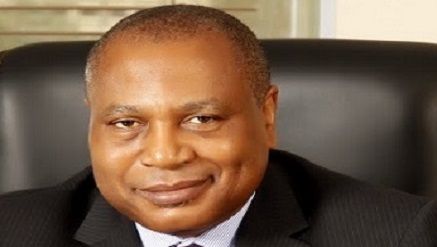
Nigeria’s efforts to remain in the ITU Council were rewarded last week in Bussan, South Korea, after a nail-biting election.
The Nigerian campaign was spear-headed by Mrs. Omobola Johnson, minister of Communication Technology, and supported by Dr. Eugene Juwah, executive vice chairman of the Nigerian Communications Commission (NCC)
A visibly relieved Johnson congratulated the Nigerian delegates for the victory and urged them to work harder in the campaigns next time in order to make the outcome less anxious and stressful.
The Minister was referring to the thick anxiety that enveloped the Nigerian delegation when the name wasn’t called at the expected time.
The ITU Council is the highest decision making body and acts as the union’s governing body in the interval between Plenipotentiary Conferences while one of the Board’s main functions is to approve rules of procedures to facilitate application of the Radio Regulations, the international treaty governing the use of the radio-frequency spectrum and the geo-stationary-satellite and non-geostationary satellites orbits.

The 48 membership Council seats are distributed thus: The Americas (9 seats); Western Europe (8 seats); Eastern Europe and Northern Asia (5 seats); Africa (13 seats); and East Asia and Australia (13).
Although the seats are fairly distributed across the regions, a whole lot of international politicking and diplomatic maneuvering usually come into play and this saw countries like South Africa and Iran voted out of the Council.
According to a statement by Mr.Okoh Aihe, special assistant on media to the EVC NCC, said that the Commission formed the arrow-head of the country’s return to the ITU Council.
At a Dinner hosted by Nigeria for the delegates to the Plenipot, Dr Eugene Juwah, Executive Vice Chairman of the Commission told the gathering that there had been so much development in the country’s Communications sector, which she was ready to export and share with the international community.
Juwah, “The Nigerian Telecommunications industry has grown in leaps and bounds over the last decade. The growth rate continues to be impressive. Our industry statistics shows the Country’s Active voice Subscriber Base of about 132 million as at today; Tele-density of 92.41%; Foreign Direct Investment (FDI) of over $32 Billion and Telecoms contributes 9% to Nigeria’s GDP.
“Nigeria still has tremendous opportunities for growth, especially in the area of broadband deployment.
“As a Country, we have valuable experiences to share. We have also been recognized in various fora globally for the achievements we have made in regulating and developing our telecommunications sector. We continue to enunciate programs and regulatory frameworks, as well as adapt global best practices in the regulation of our telecommunications industry. We carry out our regulatory role based on the principles of fairness, forthrightness and firmness. This has been demonstrated over the years in all the initiatives and programs we have implemented,” Juwah canvassed.
From the outcome of the elections the appeal hit a positive note as Nigeria was retained in the Council while some other high profile countries lost out.
Only last month Juwah was elected Chairman of the Commonwealth Telecommunications Organisation; with both successes helping to increase Nigeria’s visibility at international fora as befitting fulfilment of one of his cardinal programmes on assumption of office four years ago.


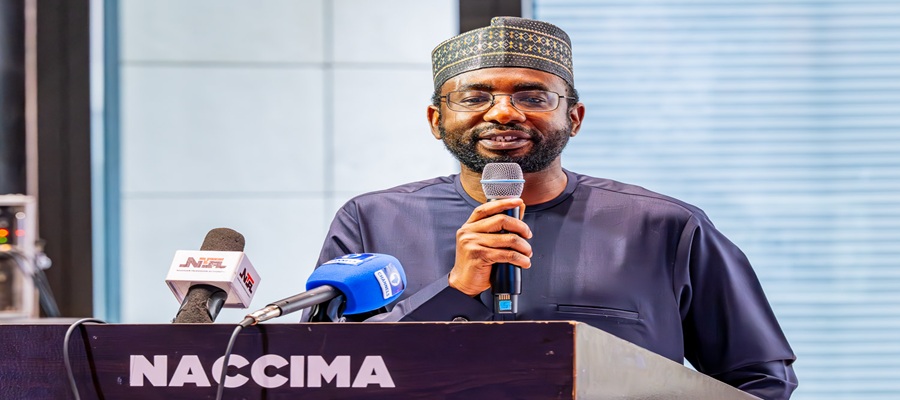
National Information Technology Development Agency (NITDA) says expanding digital infrastructure is crucial to Nigeria’s industrialisation plan, stressing that technology remains a leading enabler of the country’s economic development and growth.

Kashifu Inuwa, Director General of NITDA, delivering a goodwill message at the Nigeria Infrastructure Conference (INFRACON) 2026 organised by Nigeria Association of Chambers of Commerce, Industry, Mines & Agriculture (NACCIMA
NITDA made the declaration at the maiden edition of the Nigeria Infrastructure Conference (INFRACON 2026), organised by the Nigerian Association of Chambers of Commerce and Industries (NACCIMA) in Abuja under the theme “Mobilising Private Capital for Sustainable Infrastructure Development in Nigeria.”
Speaking at the event, the Director General of NITDA, Kashifu Inuwa, highlighted the need for increased infrastructure investments and the integration of digital and conventional infrastructure to expand Nigeria’s industrial capacity.
Inuwa noted that integrated infrastructure is essential for long-term growth, efficient and robust urban environments, and the overall well-being of communities in this digital era.
“We cannot talk about infrastructure without digital infrastructure. All organisations and industries are becoming digital.
“Our technology is becoming increasingly integrated. So, there is a need to integrate digital in the conventional infrastructure we are building’’, Inuwa said.
He commended the federal government for supporting the organised private sector in the renewed campaign to redouble Nigeria’s infrastructure assets.
The NITDA DG assured that the agency is open to partnering with NACCIMA and other stakeholders to bolster the federal government’s public-private partnership (PPP) initiative.
“The government has initiated Public-Private Partnerships (PPPs) for the private sector to be part of building the infrastructure.
“NITDA will support you to work with the government in building the digital infrastructure. We are already working with NACCIMA on how to digitise its infrastructure,’’ he added.
In his welcome address, the President of NACCIMA, Engr. Jani Ibrahim told participants that INFRACON 2026 is conceived to serve as Nigeria’s foremost platform for mobilising private capital, innovative ideas, and strategic partnerships for infrastructure development.
Ibrahim urged participants to approach the conference with a spirit of partnership, innovation, and action, adding that NACCIMA is taking urgent measures to identify committed partners, promote investment-ready opportunities, and monitor progress towards achieving the national economic target in the next few years.
He announced that this year’s conference focuses on priority areas, including power and electricity, maritime and blue economy, digital economy and digital infrastructure, infrastructure for increased national productivity, and infrastructure for industrialisation and export growth.
While appreciating the conference participants and sponsors, the president promised that NACCIMA is ready to walk with all stakeholders to position Nigeria as Africa’s preferred destination for digital investment.
“Together, we can mobilise the capital, build the infrastructure that powers industrialisation, expand exports, create jobs and deliver sustainable prosperity. Together, we can build the foundation for Nigeria’s one trillion-dollar economy’’, he stated.
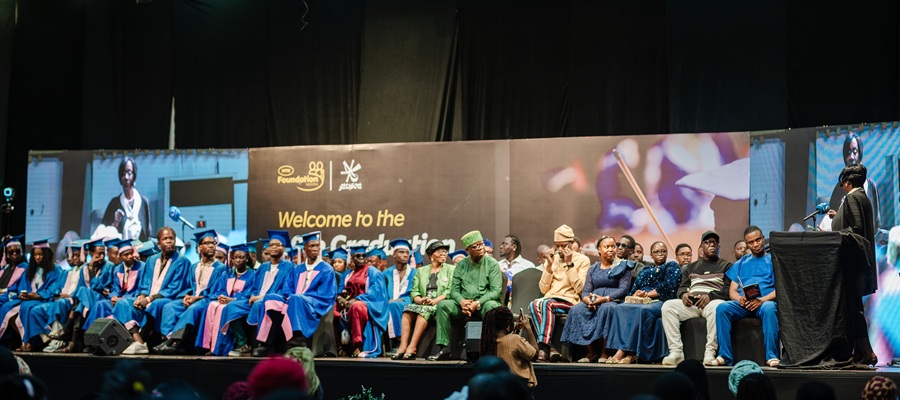
MTN Foundation celebrated a new cohort of students from the MUSON School of Music Diploma Programme as part of its scholarship programme.

MTN Foundation, MUSON
The graduation ceremony took place at the MUSON Centre in Lagos, on the 7th and the 8th of June, 2026 commemorating the completion of the students’ two-year intensive training in performance, music theory, orchestral practice, and ensemble discipline.
The ceremony featured a graduation concert with performances by emerging musicians, including presentations by the MUSON School Orchestra and graduating scholars.
Since 2006, the partnership between the MTN Foundation and the Musical Society of Nigeria (MUSON) has been instrumental in advancing music education and talent development across Nigeria.
To date, the initiative has fully funded the education of more than 500 music scholars, with every student admitted into the Diploma programme receiving a full scholarship through the MTN Foundation and MUSON Music Scholars Programme.
The programme awards an internationally recognised Diploma in Music, equivalent to qualifications issued by the Associated Board of the Royal Schools of Music in the United Kingdom. Over the years, alumni have gone on to pursue distinguished careers and further studies globally.
Speaking at the ceremony, Dr. Mosun Belo-Olusoga, Chairman of the MTN Nigeria Foundation, described the programme as a long-term investment in young Nigerian talent. “Through our partnership with MUSON, we are expanding access to premium music education.
“You are no longer just performers; you are cultural ambassadors and vital contributors to a rapidly expanding creative economy.”
Also speaking at the event, Sir Emeka Nwokedi, Ag Director MUSON School of Music, highlighted the transformative role of the partnership. “The support of the MTN Foundation has been instrumental in ensuring that financial barriers do not stand in the way of raw talent. Our graduates have received an education that meets internationally recognized standards. They have learned not only how to perform, but how to listen, collaborate, interpret, create, and continually pursue excellence
For many graduates, the programme represented a major transition from informal musical interest to structured professional training. Mr. Sunday Okpo, the MUSON Alumni President, described the experience as transformative: “Along the way, we discovered that music is far more than singing or playing an instrument.
“Music teaches discipline, patience, and humility, and it teaches us to listen, not only to sound, but to one another. The journey has shifted us into better musicians, stronger individuals, and lifelong friendships.”
The MTN Foundation’s support for MUSON extends beyond scholarships. In 2022, the Foundation built a fully equipped digital music studio at the School of Music, furnished with professional instruments and equipment.
These include HP ProBook laptops, a custom series marimba, a Viscount Unico 400 Organ, and Stentor Conservatoire violins. This investment further strengthened the infrastructure for music education in Nigeria.
The MTN Foundation and MUSON partnership continues to play a significant role in strengthening Nigeria’s music education ecosystem.
It supports the development of professionally trained musicians equipped for careers in performance, education, production, and broader cultural expression. The programme aligns with the Foundation’s commitment to youth development in Nigeria.

By Chris Chinchilla
In 2005, Nokia sold its billionth mobile phone, a budget-friendly device that went to a customer in Nigeria.

By then, the company, based in Espoo, Finland, was making one of every three cellphones globally.
But just nine years later, the mobile-device maker offloaded its entire handset division to Microsoft for pennies on the dollar, compared to what it had been worth at its peak.
Nokia had risen from obscurity in the 1990s to become a worldwide cultural phenomenon by the turn of the millennium, its signature devices featured in TV shows and movies, announcing their presence with instantly recognizable Nokia ringtones.
As Nokia was becoming comfortable in the spotlight, the smartphone era arrived.
And what came next was swift and brutal.
But, as revealed in Nokia internal documents recently made public and interviews with key Nokia engineers from that era, the company saw it coming. Within 24 hours of Apple CEO Steve Jobs’s iPhone unveiling in 2007, Nokia was already weighing its options. They’d immediately recognized the threat. However, outrunning it was another matter.
What follows is Nokia’s story over 14 years, from 1998 to 2012, as the world’s top cellphone maker—how its devices defined their time, how the tech reshaped what phones could be and do, and how the company’s good fortunes in the handset business came to an end.
Nokia Was Once Unbeatable
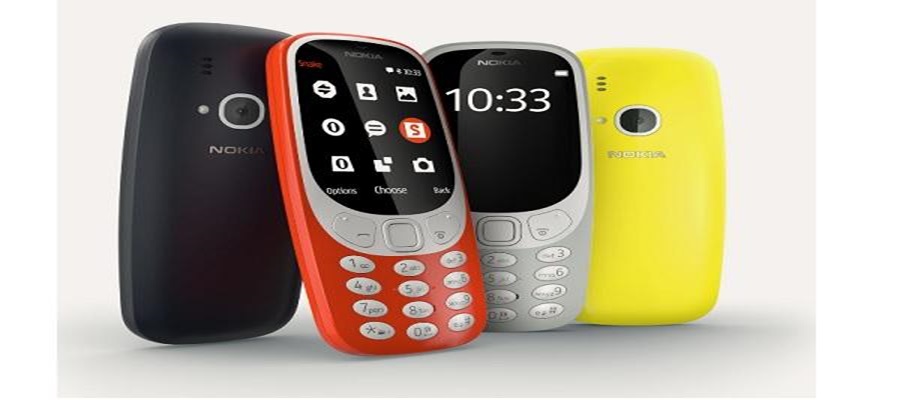
The centerpiece Nokia devices, the ones that people probably think of when they see the words “Nokia phone,” were the 3210 and its cousin, the 3310. TechRadar has called the 3310 “the greatest phone of all time.”
Released in 1999 and 2000, respectively, the two devices sold more than 280 million units worldwide. Their most innovative hardware feature was the internal antenna—the first mass-market phone without even a stub or retractable aerial. “Consumers had the perception that it could not work well without an external antenna,” said Peter Røpke, a former Nokia senior vice president, in a 2016 interview with Slate.
The phones shipped with games, including the legendary Snake, one of the most popular pre-smartphone mobile games—in which a pixelated serpent eats and grows with every morsel consumed.
Nokia introduced no small portion of the world to texting.
At the time of the 3210 and 3310, the prevailing texting standard was SMS (short message service), which allowed up to 160 characters per message. Nokia appended its own Nokia smart-messaging service to SMS, which allowed the sending of small bitmapped images across an otherwise text-only system. A rich-text messaging system that allowed visual images, audio, and video followed in 2002, leading to a multimedia messaging service (MMS) standard that remains in place today.
Nokia also enabled users to easily create and share ringtones on their devices. By 2000, Nokia’s custom-ringtone
Composer app had popularized a new, short-form musical medium that the ringtone industry, at its peak, would transform into a billion-dollar marketplace in the United States.
A face-on view of the Nokia 1100 feature phone, including a keypad and a black-and-white LCD screen.
Nokia introduced its 1100 phone in 2003 and ultimately sold half a billion units, making it the most popular cellphone in history.
A few years later, Nokia reimagined its mobile handsets, releasing the 1100 in 2003.
The 1100 sold a half a billion units, more than any cellphone in history.
It remains one of the best-selling consumer products ever. Much of the 1100’s success was due to its price tag—in the neighborhood of US $100, making it at the time Nokia’s most affordable device.
Also contributing to the 1100’s popularity were features designed for longevity and tough environments, including dust resistance, nonslip sides for better handling in rainy conditions, and a 400-hour standby battery life.
The 1100 introduced a flashlight as well, which the user turned on and off by holding down the “C” key.
Where most device makers at the time were worried about camera megapixels and color screens, Nokia had leapfrogged its competition with a back-to-basics phone that could survive the rain, endure unreliable power grids, and light the way home.
Apple Launched the iPhone, Nokia Scrambled
On 9 January 2007, at the Macworld conference in San Francisco, Steve Jobs made a characteristically bold claim.
“Today, Apple is reinventing the phone,” he said, soon pulling one of the first iPhones out of his pocket.
Apple CEO Steve Jobs famously launched the iPhone at the Macworld Conference in San Francisco on 9 January 2007.
Nokia held a rapid-response meeting to the event the following day.
Rumors of Apple entering the phone market had swirled since the iPod’s debut in 2001, but nobody had really reckoned with what that might mean.
“Executive summary: Apple iPhone is a serious high-end contender,” read a slide from a Nokia internal meeting held the day after Jobs’s keynote. (That slide is now in the company’s online archives, opened to the public last year.)
“User interface has been a big strength for Nokia,” it continued. “Nokia needs to develop touch [user interface] to fight back.”
Peter Bryer, at the time Nokia’s manager of strategic foresight, was part of that 10 January meeting, and he recalls that Jobs’s announcement wasn’t unexpected.
But the iPhone’s extensive reliance on multitouch—save for a single home button on the front—did surprise the team.
Nokia was already aware of multitouch technology, Bryer notes.
In 2006, the U.S. computer scientist Jeff Han had given a celebrated TED talk about it, demonstrating a multitouch screen, which could sense multiple fingers on the screen at a time, not just one.
Bryer remembers his colleague Timo Partanen, then Nokia’s director of market and competitor analysis, getting excited about Han’s demo.
By the end of the decade, multitouch—in which multiple fingers can interact with a touchscreen at once—would play a key role in smartphones from Apple, HTC, and Palm.
“Timo burst into the room, saying, ‘You’ve got to see this TED video of this guy using multitouch,’” Bryer recalls. “We both thought that was cool and that’s the future. Then I looked at the sponsors of the presenter’s research, and among them were Nokia and Microsoft.”
And yet it took Nokia years to develop a phone that used multitouch.
“Remember, Nokia is based in Finland,” he says. “It’s very cold in Finland. They wear gloves for six months of the year, including the executives. They didn’t think a device like that would work.”
Partanen was also at Nokia’s post-iPhone launch meeting, and recalls that there was little concern in the room. “We felt okay,” he says.
“This is yet another competitor launching a great product. But we had no doubt that, if it’s successful, we would do the same. We will launch similar products.”
Two hands hold and interact with a touchscreen phone. The right hand uses a stylus to interface with the device.
In November 2008, Nokia released the 5800 Xpress Music, a year and a half after Apple had launched its iPhone.
That similar product ended up being the Nokia 5800 XpressMusic, known as the Tube, released in 2008. “The idea was to focus on streaming videos and television,” Partanen says. “So we made a phone with a similar form factor to the iPhone [that was] optimized for streaming content.”
But the 5800 was “delayed, delayed, delayed, delayed,” he says.
“It didn’t materialize in the way it was planned. It was released as a watered-down version.”
Critics skewered the 5800’s “outdated” feature set and “ancient” S60 operating system, which ran on top of Symbian OS, an open-source mobile platform Nokia had recently acquired. The 5800 sold reasonably well for its time, reaching around 8 million units in its first year alone. But it did not feature multitouch.
“I think that started to be the point when everybody realized that, hey, this is by far more difficult than earlier competitive issues we’ve had,” Partanen says.
Nokia finally released its first device with multitouch in 2010, three years after Jobs’s splashy iPhone announcement and four years after Han’s TED talk demo.
How Android Ate Up the Low-End Market
Nokia had long owned the low end of the cellphone market, with its sturdy, no-frills devices suited for that segment.
So the years immediately following the iPhone’s launch saw the Finnish firm continue to thrive as it kept turning out simple, rugged devices.
As one review of the Nokia 1200—successor to the 1100—put it in October 2007, “This handset chucks away all the fancy features you’ve come to expect on a modern mobile, leaving you with a pared-down feature set that’s easy for tech novices to get their heads around.”
A man behind a wire screen holds up a Nokia phone to a user in the foreground, who looks at the device.
The 1200 kept the 1100’s dust-proofing, flashlight, and long-lasting battery, and added features aimed squarely at the developing world.
The 1200 was the first to include call-time tracking and a multiuser phone book, allowing owners who planned to lend their device to set up call limits based on time or cost.
This feature helped enable what Nokia researchers called kiosks—informal pay-per-call services, in which an enterprising phone subscriber charged neighbors and family members by the minute for use of the device.
In 2006, Nokia studied how Ugandans used their Nokia phones in rural and remote areas.
An internal company slide deck from the time reveals just how keyed-in Nokia was to its lowest-income users. “Village phone operators are often women,” the slide deck notes. “And there tend to be a lot of children around. (Phones need to suffer considerable abuse from chewing, dust, sweat, etc.)
“A unit of phone time is 60 seconds,” another slide states. “But to avoid accidentally going over that time and incurring extra costs, kiosk operators shorten the unit to 57 seconds, allowing a three-second margin of error. Shared mobile used as phone kiosk must show call time.”
Nokia’s familiarity with its market couldn’t protect the company forever, though.
That’s because the iPhone wasn’t Nokia’s only looming smartphone competitor.
In September 2008, the first Android phone went on sale—the HTC Dream, which was also sold as the T-Mobile G1.
While the iPhone was aimed mostly at early adopters and affluent users who could afford to drop hundreds of dollars on a new phone, Android phones were, within a couple of years, aiming at the same low-cost, global user base Nokia was selling to.
“I think it’s fair to say Android is the one that disrupted the market more for Nokia,” Bryer says. “Most of Nokia’s successful devices were not on the high-end market. But then, when Android came along, it started to fill that lower end and eventually took that market away from us.”
A man holds two phones while standing in front of a large poster showing enlarged versions of the two devices.
With two emerging competitors in the low end and high end, the Finnish device maker responded with a device that split the difference—and satisfied neither camp.
Released in 2009, the Nokia 5230 attempted to be a low-priced, touchscreen (though not multitouch) competitor to both the iPhone and Android. It sold an impressive 150 million units, doing especially well in developing countries.
But the 5230 didn’t have Wi-Fi—one of the biggest complaints at the time. In the developing world, Wi-Fi connections were still rare, so the lack of Wi-Fi made some sense. But the rest of the world was not pleased.
“We had such a big gap and dominant position,” Bryer says. “Which does maybe create a level of comfort which you should never get.”
How Nokia Lost the Smartphone Race
By the beginning of the 2010s, Nokia could have still drawn from the company’s labs, which were regularly spinning out new technologies and innovations. However, the Finnish handset maker ultimately failed to turn its R&D into viable new product lines in response to the emerging smartphone threat.
Nokia’s predicament had precedent—Kodak, dominant in film photography, had actually invented the digital camera in 1975 but failed to commercialize it before digital imaging made its core business obsolete.
“The technology coming from our R&D teams was cutting edge,” says Gordon Murray-Smith, director of services and ecosystems intelligence from 2008 to 2011. He recalls attending annual R&D innovation days that showcased work on self-healing materials and flexible screens, long before those technologies were seen elsewhere. “But why was Nokia not able to commercialize some of that really interesting and innovative activity more than it did?”
Nokia desperately needed an injection of life to change its fortunes.
The company’s first non-Finnish CEO, Stephen Elop (a Canadian fresh off a two-year stint on Microsoft’s leadership team), did not mince words.
In an internal memo from February 2011 that was soon leaked to the media, Elop wrote, “The first iPhone shipped in 2007, and we still don’t have a product that is close to their experience. Android came on the scene just over two years ago, and this week they took our leadership position in smartphone volumes. Unbelievable.”
In 2011, Nokia released the N9, a smartphone with a Linux-derived operating system. Within a year, Nokia had pivoted toward its Windows Phone-powered line of Lumia devices.
Elop oversaw the 2011 launch of a Linux-based smartphone, the Nokia N9.
The N9 ran on a distribution of Linux called MeeGo. Reviewers at the time praised the new smartphone direction the Finnish phone maker had taken. “Possibly the most beautiful phone ever made,” wrote one reviewer about the N9 for Engadget.
But the N9’s accolades did not ultimately carry the day. Nokia announced its Lumia line of phones the same year—a direct pivot away from MeeGo toward the Windows Phone.
It would be the last major strategic turn Nokia would take as a cellphone manufacturer. From this point forward, a succession of C-suite decisions all but sealed the fate of Nokia’s iconic line of phones.
In 2013, Microsoft announced its bid to acquire Nokia’s handset operations. After the sale went through the following year, it rebranded the division Microsoft Mobile.
But the year after that, Microsoft decided it had made a costly mistake, writing down $7.6 billion—nearly what it paid for Nokia’s handset division—and laying off nearly half of the former Nokia staff it had inherited.
In 2016, Microsoft sold its feature phone assets to HMD Global. The latter still sells Nokia-branded phones—budget-friendly devices as well as nostalgia reproductions of models from Nokia’s glory days.
What remained was a brand name, some intellectual property, and two decades of hard-won lessons about what it takes to stay on top—and what it costs when you can’t.
“When you look at the players in the world of smartphones today, any of those players would struggle ever to achieve 14 consecutive years of being No. 1,” says Murray-Smith.
Partanen says there was a downside to Nokia’s mobile-phone dominance.
“Often, being the first mover is not necessarily the best position,” he says. “Being a quick follower is the best position.”
The company itself ultimately survived, even if the transition wasn’t painless. Nokia’s revenues, which peaked in 2007, fell sharply through the mid-2010s before the company refocused on a decades-old business line—telecom infrastructure—that many had forgotten Nokia was even in. Nokia now ranks among the world’s top three suppliers of 5G network equipment, serving carriers across more than 125 countries, alongside Ericsson and Huawei.
Although the company could never quite crack the smartphone, it now plays a key role in providing the network backbone those smartphones run on.
This piece by Chinchilla was published on IEEE’s website
IEEE is the world’s largest technical professional organization and a public charity dedicated to advancing technology for the benefit of humanity

Next Currency Crisis May Turn $300Bn in Stablecoins into National Currencies

NIHSA Warns States of Possible Flood within Seven Days

FG to Raise N1.2 Trillion via Fresh Bond Offer – DMO

Gigbanc Nigerian Fintech Startup Closes Shop after 3 Years

Mbunabo, Nigerian Filmmaker Accuses Ghana TV Stations of Pirating Nollywood Films

NRC, Ponzi Scheme Collapses Resulting Loss of Billions of Naira

Nigeria Launches FreeTV Nationwide

NASENI Moves to Digitize CCB’s 5m Assets Declaration and Operations

Lebara Nigeria Launches Lebara Play, Africa’s First Telecom-Owned Micro-Drama Platform

CANAL+ Partners Samsung to Pre-Load DStv Stream on New Samsung TVs In Nigeria, Other African Countries




 News3 days ago
Xora Finance, Fintech Firm Refuses to Hire Nigerians over Alleged Dishonesty

 Telecom3 days ago
NCC Advances Dig Once Policy, Engages Stakeholders on Cost-Based Framework for Duct Sharing

 Telecom3 days ago
NCC to Keynote Telecom Sector Sustainability Forum 7.0

 General News3 days ago
FG Secures Fresh $208.3m World Bank Loan for Cash Transfer
 News3 days ago
How Ponzi Scheme Victims can Seek Legal Remedies — Lawyers

 Telecom2 days ago
MTN Nigeria Slashes Cost of Broadband Internet Router, Unwraps New Data Bundles for Low-Budget Users

 News3 days ago
PalmPay Nigeria Appoints Samuel Oluyemi as Chief Operating Officer

 E-Financial2 days ago
Nigerians Accumulate $59Bn in Cryptocurrency Assets —FDC