

Telecom
ITF to Begin Mass Production of Android Phones – DG


Joseph Ari, director general of the Industrial Training Fund (ITF), has said that the agency is currently putting finishing touches to the processes and modalities that will enable it to begin mass production of Android phones for Nigerians.

Ari, spoke in Jos, Plateau State during a media briefing organised by the ITF to unveil its strategic policy direction for the 2022-2025 period
According to the DG, apart from the need to widen the capacity of the machines involved in the mass production of Android phones, there was also the need for the agency to finalise the legal framework for the purpose intellectual property rights .
Ari said, “Yes,it is true that in June last year ,we gave a sample of our android mobile phone to Mr President , Muhammadu Buhari but you know that the issues surrounding productions are long and varied .As I speak to you , two weeks ago,I was able to inspect the Assembly plant which has now been installed at the Model Skill Training Centre in Abuja because we needed to widen the capacity of the machines but they have now been installed .
“We needed to also work with other regulatory agencies in terms of drawing the legal framework and other things and we are now at the concluding end to find the legal framework for the purpose of intellectual property rights .So, from that June last year till now, we have done a lot to ensure that we roll out the mass production of the Android mobile phones and even a private company in Lagos. Afrione an Indian company has also approached us to partner with us in the area of capacity building and we have already signed a memorandum of understanding in that regard. So the roll plan is on course.”

The Director-General decried the high rate of unemployment in the country which he noted stood at over 33 per cent, pointing out that the situation had persisted mostly because over 23 million Nigerians that were desirous to work but without requisite skills.
According to him, “It is based on the above and in line with our mandate of developing a vast pool of skilled manpower sufficient to meet the needs of the public and private sectors of the national economy, coupled with resolutions at the recently concluded ITF National Skills Summit in Abuja, that we found it imperative to review and refocus our strategies to address the above challenges and to meet the skills requirement of the nation in line with global best practices. In arriving at our strategies. We considered the need to scale up our activities to address the soaring unemployment and other socio-economic challenges by leveraging on our three Es (Experience, Expertise and Expansive network), deployment of technology for wider coverage and more flexible service delivery.”
Ari explained that the new policy framework, which had as its theme, ‘Re-Engineering Skills for Sustainable Development’ had external and internal components.
“To actualize this, the Fund will develop National Occupational Standards; Evaluate and certify apprentices, technicians and craftsmen; Train and certify learning and development professionals and; Create and maintain a data bank on skills training.When fully in place, our efforts will lead to the development of a robust National Occupational Standard (NOS); create a pool of certified apprentices, technicians and craftsmen as well as assessors and verifiers as well as create a pool of certified learning and development professionals and a regulated skills


MTN Nigeria is accelerating investments in network expansion and modernization to address rising demand for mobile and data services across the country.

The operator is deploying additional base stations, upgrading existing infrastructure, and expanding fiber connectivity to improve network capacity, coverage, and service quality.
The investments are designed to support increasing smartphone adoption, higher data consumption, and the growing use of digital services by consumers and businesses.
MTN said the expansion aligns with its long-term strategy to enhance customer experience while strengthening Nigeria’s digital infrastructure.
The company expects the ongoing upgrades to improve connectivity, support economic growth, and enable broader access to reliable telecommunications services as demand for high-speed broadband continues to increase.

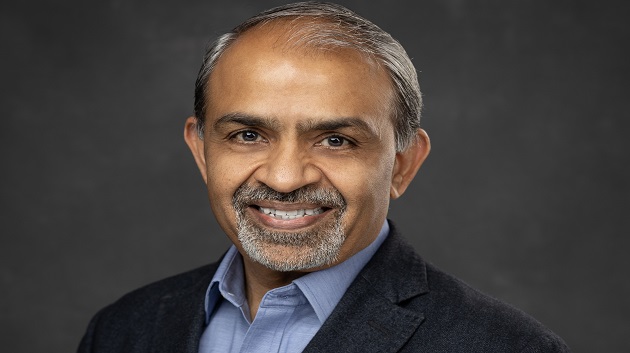
Airtel Africa’s CEO, Sunil Taldar, has announced the telco’s commitment to connecting 5,000 schools across its operating countries in Africa to the internet by 2027 through its philanthropic arm, Airtel Africa Foundation, in partnership with the United Nations Children’s Fund (UNICEF).

So far, the $57m partnership, which was launched in 2021, has cumulatively connected 3,296 schools and provided access to over 2 million learners and about 40,000 teachers. 64 digital learning platforms have been zero-rated thereby enabling more than 11m users to access educational content at no cost.
Speaking during a visit to St. Monica’s Girls School in Lusaka, which is one of the 300 schools already connected to the internet in Zambia, the Airtel Africa CEO stated that the initiative is having a profound impact on the quality of education by expanding access to digital learning resources for African children, in collaboration with governments.
Mr Taldar added: “Students are accessing best-in-class education from the curriculum developed by UNICEF in partnership with various Ministries of Education and provided through Airtel’s connectivity.
“We are also training teachers, so that they deliver digital education effectively. We aim to continue deepening meaningful connectivity in schools by providing free internet access, zero‑rated platforms and training teachers across the continent”.
Expressing her appreciation, the Headmistress of St. Monica’s Girls’ School, Sr Matilda Soloko said: “Being among the first schools connected in the initial stage, our learners have been able to study using the learning portal and their studies have been intensified. We remain grateful to Airtel and UNICEF.”
UNICEF’s Country Representative for Zambia, Dr Saja Farooq Abdullah said: “What this partnership has brought is really bridging the equality gap and the digital divide. It is making sure that every child learns wherever they are. It was exciting and interesting to see and hear from the girls how they can learn at their own pace, how they can review the materials, and how they do their homework with comfort.
The Director of Secondary Education in Zambia’s Ministry of Education, Yvonne Mwemba Chuulu lauded UNICEF and Airtel for the partnership saying: “At the Ministry of Education, we cannot do it alone, and we are grateful for the partnership that we have today.
“Our children are able to learn in a blended fashion, where we have a teacher who is also employing digital devices. We have also heard from the learners that they are able to access the portal when they are at home, which is a good thing because our learners continue to learn in the comfort of their homes”.
The School Connection programme is expanding digital learning to learners in 13 countries: Chad, Congo, Democratic Republic of Congo, Gabon, Kenya, Madagascar, Malawi, Niger, Nigeria, Rwanda, Tanzania, Uganda, and Zambia. By equipping these schools with internet connectivity and training teachers on using the digital tools, it is providing children, particularly in underserved and remote regions, with the digital tools and skills they need to thrive.
Airtel Africa Foundation is advancing inclusive development across four strategic pillars, Financial Inclusion, Education, Environmental Sustainability and Digital Inclusion.


MultiChoice has officially become a wholly owned subsidiary of French media company Canal+, marking the completion of one of the largest acquisitions in Africa’s media and entertainment industry.

The integration brings the South Africa-based pay television operator under the full ownership of Canal+, a global media group with operations in 70 countries.
Announcing the completion of the transaction on Thursday, Chief Executive Officer of Canal+ Africa and MultiChoice, David Mignot, described the development as the beginning of a new phase of growth for the broadcaster.
“MultiChoice is now a full subsidiary of a truly international media group operating in 70 countries.
“The group was founded in France, is listed in London and Johannesburg, and has a strong African presence with operations in more than 45 countries,” Mignot said.
The acquisition combines Canal+’s international operations with MultiChoice’s extensive footprint across sub-Saharan Africa, where it serves millions of households through its DStv and GOtv platforms, as well as the Showmax streaming service.
According to Canal+, the integration will strengthen MultiChoice’s competitive position by giving it access to broader financial resources, technology, content partnerships and operational expertise.
The company said the combined business would increase investment in local content production, sports broadcasting and streaming services as competition intensifies from global platforms such as Netflix, Amazon Prime Video and Disney+.
The transaction is also expected to provide MultiChoice with greater access to international markets at a time when traditional pay television operators are adapting to changing consumer viewing habits and the rapid growth of digital streaming platforms.
Canal+ has expanded steadily across Africa over the past decade and now assumes full control of a business operating in more than 45 African countries, further strengthening its position in the continent’s media and entertainment sector.
The acquisition followed Canal+’s gradual increase in its shareholding in MultiChoice, which began in 2024.
After exceeding the regulatory threshold, the company launched a mandatory offer in April 2024 to acquire the remaining shares of the Johannesburg-listed broadcaster.
Following regulatory approvals and shareholder acceptance, Canal+ secured control of MultiChoice in 2025 before completing the process that has now made the company a wholly owned subsidiary.
Industry observers describe the acquisition as one of the most significant media transactions involving an African company, reflecting a broader trend of consolidation as global entertainment firms seek greater scale to compete in the streaming era.

Police Busts Syndicate Who Allegedly Stole N3Bn from Financial Institution

MTN Accelerates Network Expansion to Meet Surging Telecom Demand

Court Remands Akujobi, Ex Access over alleged Theft of N294.5m

TeKnowledge, Equinix Partner to Advance Nigerian Digital Infrastructure

NSIB Faults Runway Identification, Reveals Cockpit Disagreement in Asaba Jet Incident

Nigeria Launches FreeTV Nationwide

NASENI Moves to Digitize CCB’s 5m Assets Declaration and Operations

NRC, Ponzi Scheme Collapses Resulting Loss of Billions of Naira

Lebara Nigeria Launches Lebara Play, Africa’s First Telecom-Owned Micro-Drama Platform

CANAL+ Partners Samsung to Pre-Load DStv Stream on New Samsung TVs In Nigeria, Other African Countries




 Telecom2 days ago
Fixed Wired Internet Market Lags as Mobile Gains Ground

 News2 days ago
Study Reveals How Moniepoint is Powering Nigeria’s $11Bn Food Service Sector

 Broadcasting2 days ago
BON Establishes Six Ad Hoc Committees to Modernize Broadcasting
 News1 day ago
Police Busts Syndicate Who Allegedly Stole N3Bn from Financial Institution

 Telecom1 day ago
DStv, GOtv Owner MultiChoice Officially Joins Canal+ Group

 E-Business2 days ago
New NIMC Act Strengthens Data Protection, Privacy – Director

 General News2 days ago
Court Adjourns Alleged Binance Tax Evasion Case over Settlement Talks

 General News2 days ago
Xenophobic Attacks: OYC Threatens to Picket MTN Nigeria Offices